Look after the gear you love.
Bikes, cameras, drones, espresso machines. GearKit keeps each one’s service schedule, counts down to the next job and taps you on the shoulder before it’s due.
- Drawn by
- Pixeesoft
- Sheet
- 01 of 06
- Scale
- 1:1
- Rev
- 1.0 beta
- 1 Wax chain Chain · every 3 months 12 d , Due soon
- 2 Check sealant Tyres · every 2 months 41 d
- 3 Check brake pads Brakes · every 6 weeks 3 d over
- 4 Service the fork Suspension · every year 210 d
- 5 Torque check Cockpit · every 4 months 88 d
Three steps, then it mostly runs itself
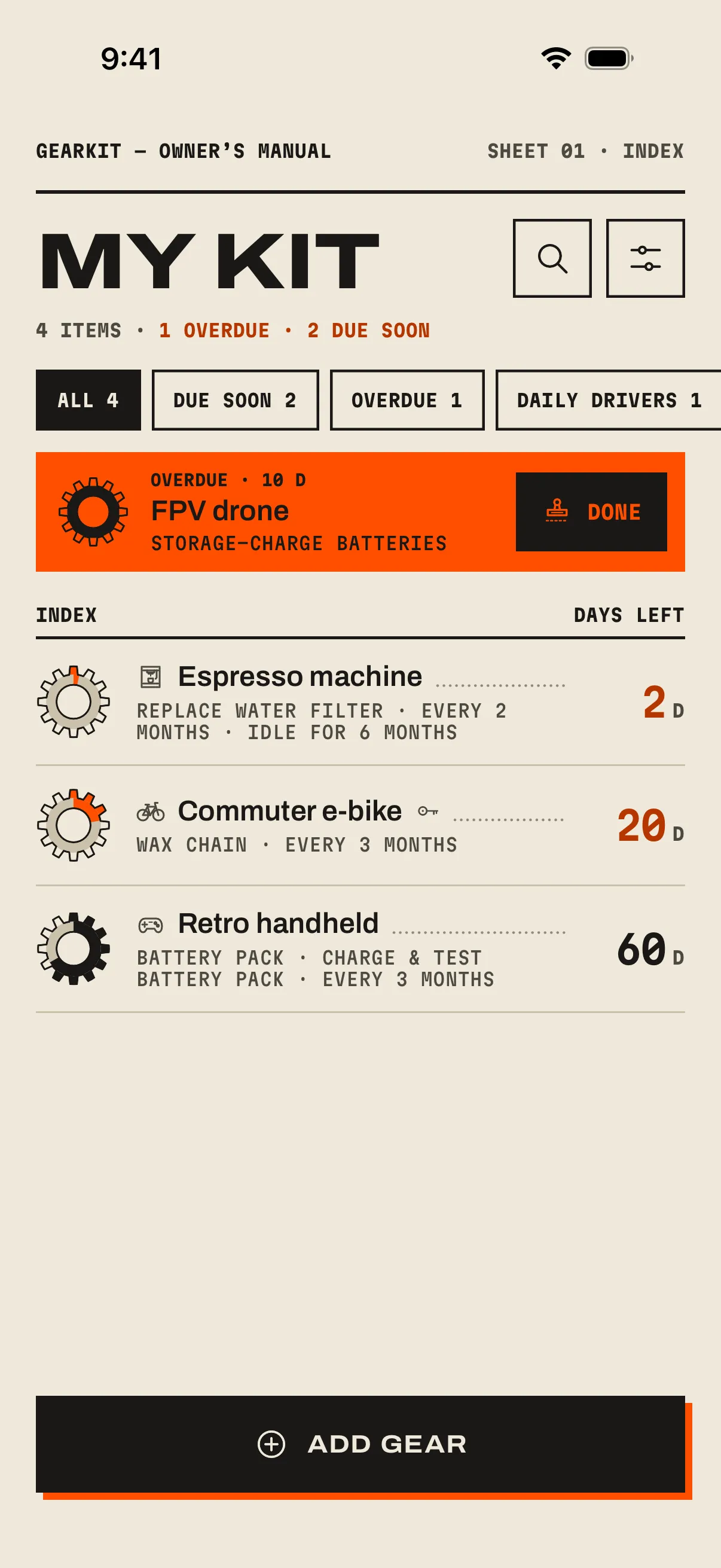
Add your kit
Every item gets a page and a drawing: a bike, a drone, a console. Components live on their parent, so the battery pack rolls up into the handheld.
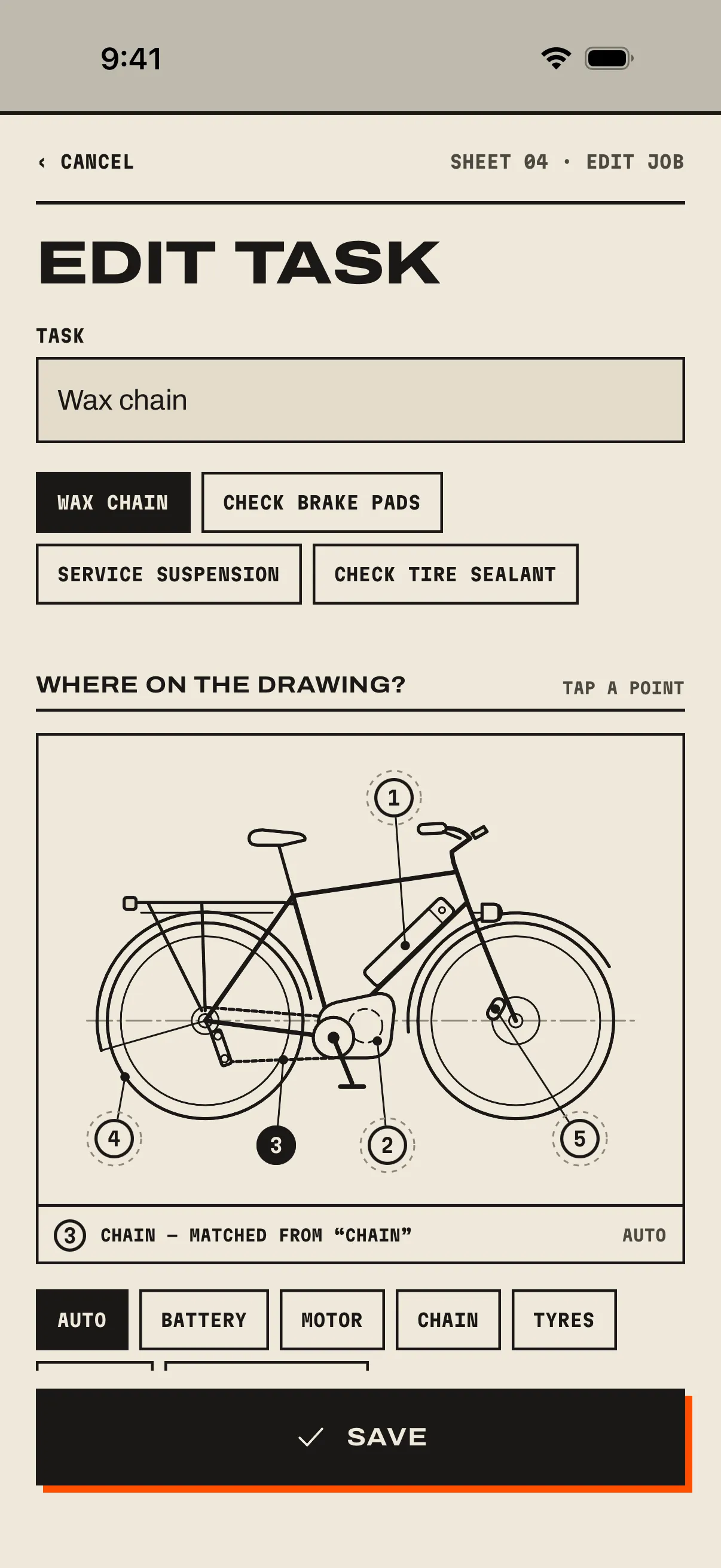
Give each job an interval
Every 90 days, every 2 years, or after every flight. Jobs follow the calendar or reset whenever you log usage.
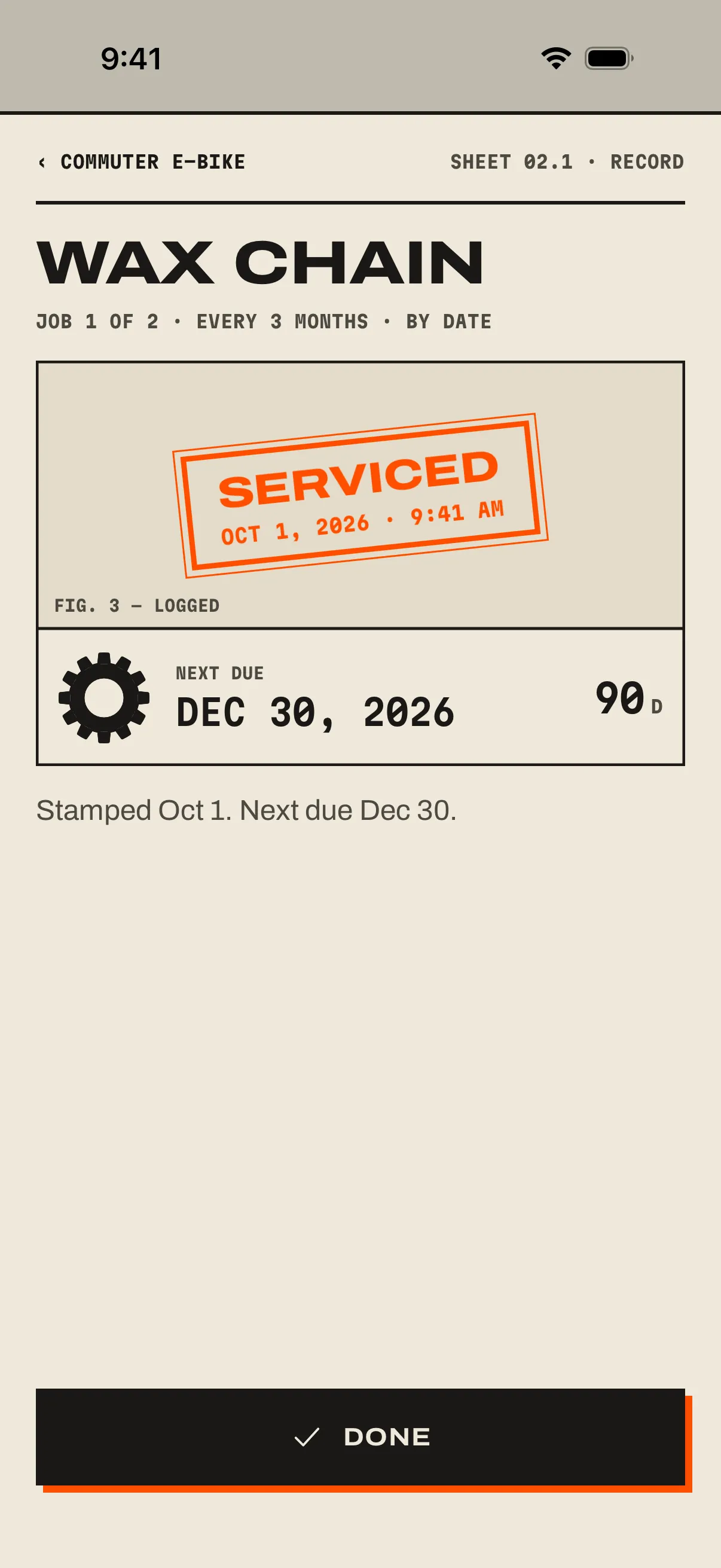
Do the job, stamp it
GearKit reminds you before it’s due. Mark it done, add a note, and the gauge winds back up.
Quietly capable, never needy
No server and no subscription to keep your own notes. Everything lives on your phone, and a backup is a file you keep.
- Works offline
- Always
- Account
- None
- Timers
- By date or by use
- Intervals
- Days to years
- Components
- Pads, packs, lenses
- Daily drivers
- Storage jobs pause
- Reminders
- Your time, your days
- Next-service notes
- Checked off when fixed
- Idle gear
- Flags it after 6 months
- Backup
- ZIP of CSVs, merges
- Calendar
- All-day events
- Price
- 15 items free · one unlock
It works where you are
Widgets, Siri, Control Center on iPhone; Quick Settings and launcher shortcuts on Android.
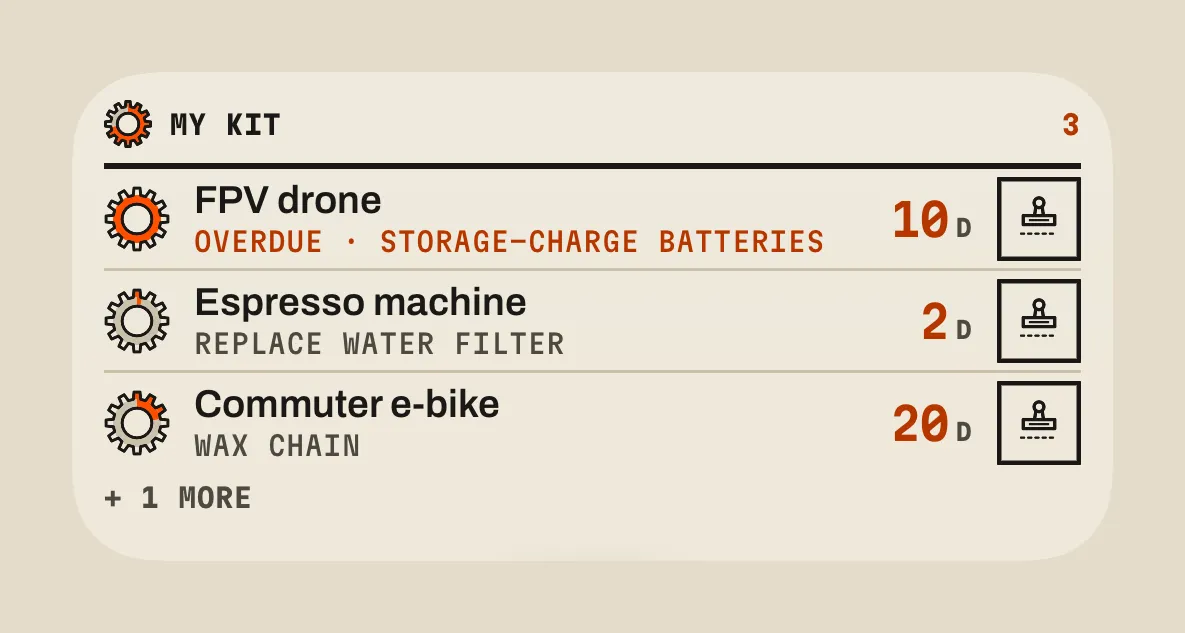
Widget
Your kit on the home screen, most urgent first. Tap done, Undo for 30 seconds.
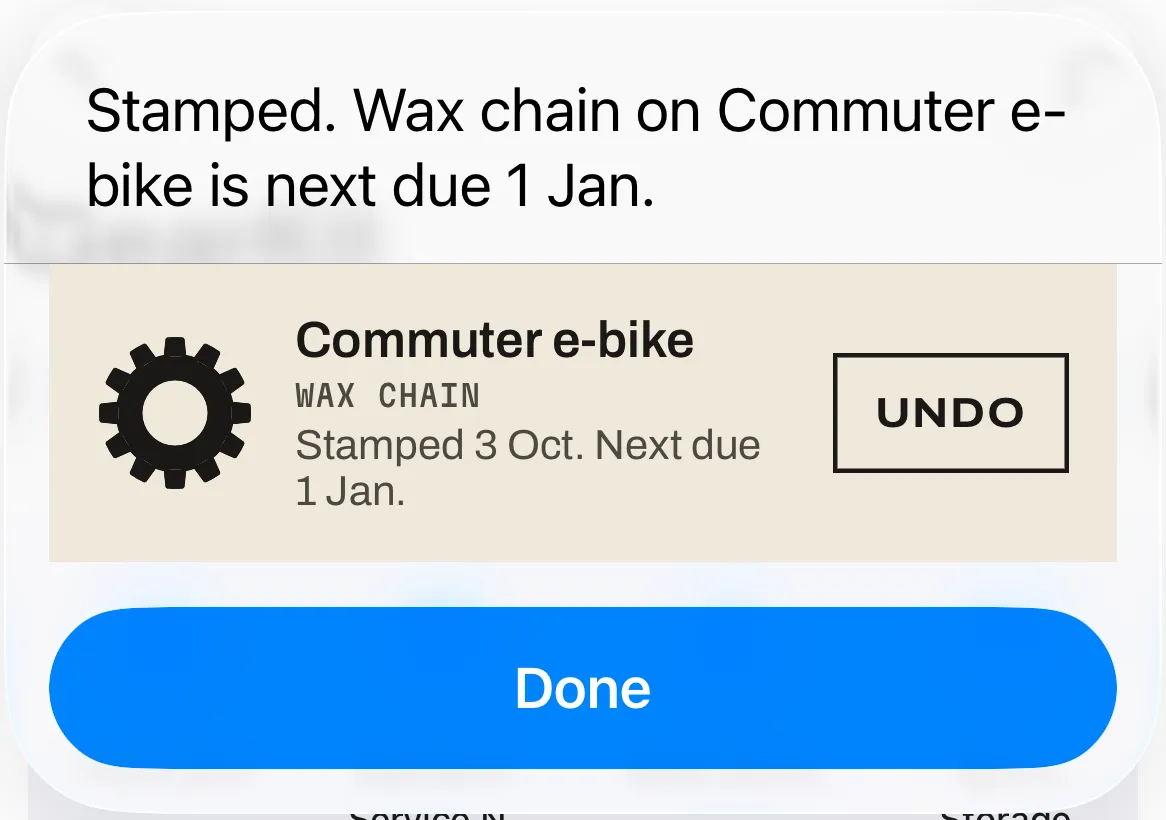
Siri and Shortcuts
“Mark Wax chain done in GearKit.” The reply shows the gauge and an Undo.
Control Center & Quick Settings
One tap logs a ride or stamps a job, without opening the app.
NFC stickers
Stick a tag on the drone case. Tap the phone, the flight is logged.
Every screen, every shortcut
Screen by screen, with numbered callouts and the small things people miss. On iPhone and Android.
Good gear deserves a good keeper.
The free garage holds 15 items. One purchase opens the rest, forever. No subscription.