NFC tags
A sticker on the drone case or the bike’s top tube. Hold your phone to it and GearKit writes it down, with Undo in case it wasn’t meant.
Link a tag
- 01
On the item’s page, tap the more button and Link an NFC tag: that tag will log a use. For a tag that marks a job done, open the job’s actions instead and pick Link an NFC tag there.
- 02
iPhoneTap Hold to a tag and hold the top of your iPhone near the sticker until it says Tag linked.AndroidTap Hold to a tag and hold the back of your phone to the sticker until the sheet says Tag linked. If NFC is off, the sheet takes you to the setting.
- 03
Tap Done. The tag is listed under Linked tags, and the item’s page says NFC tag.
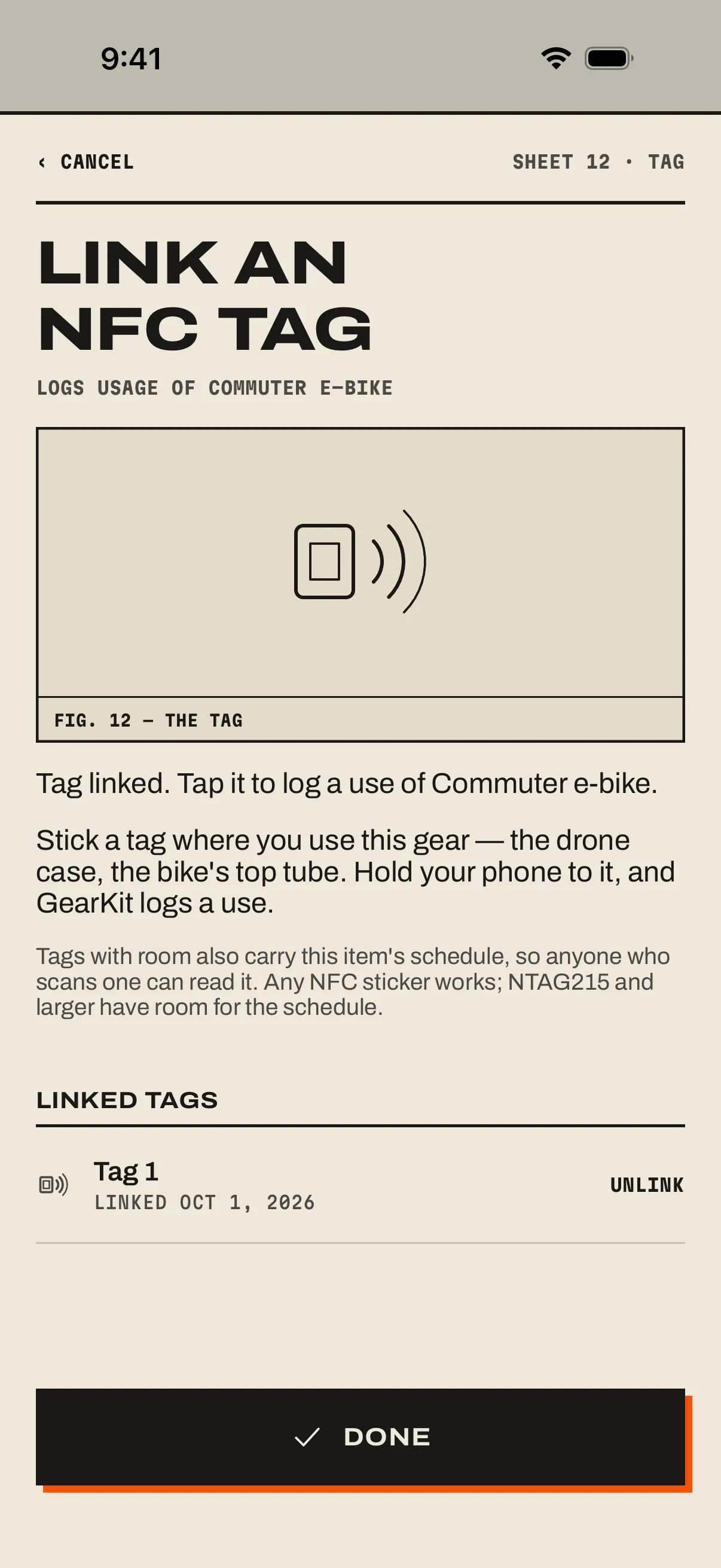
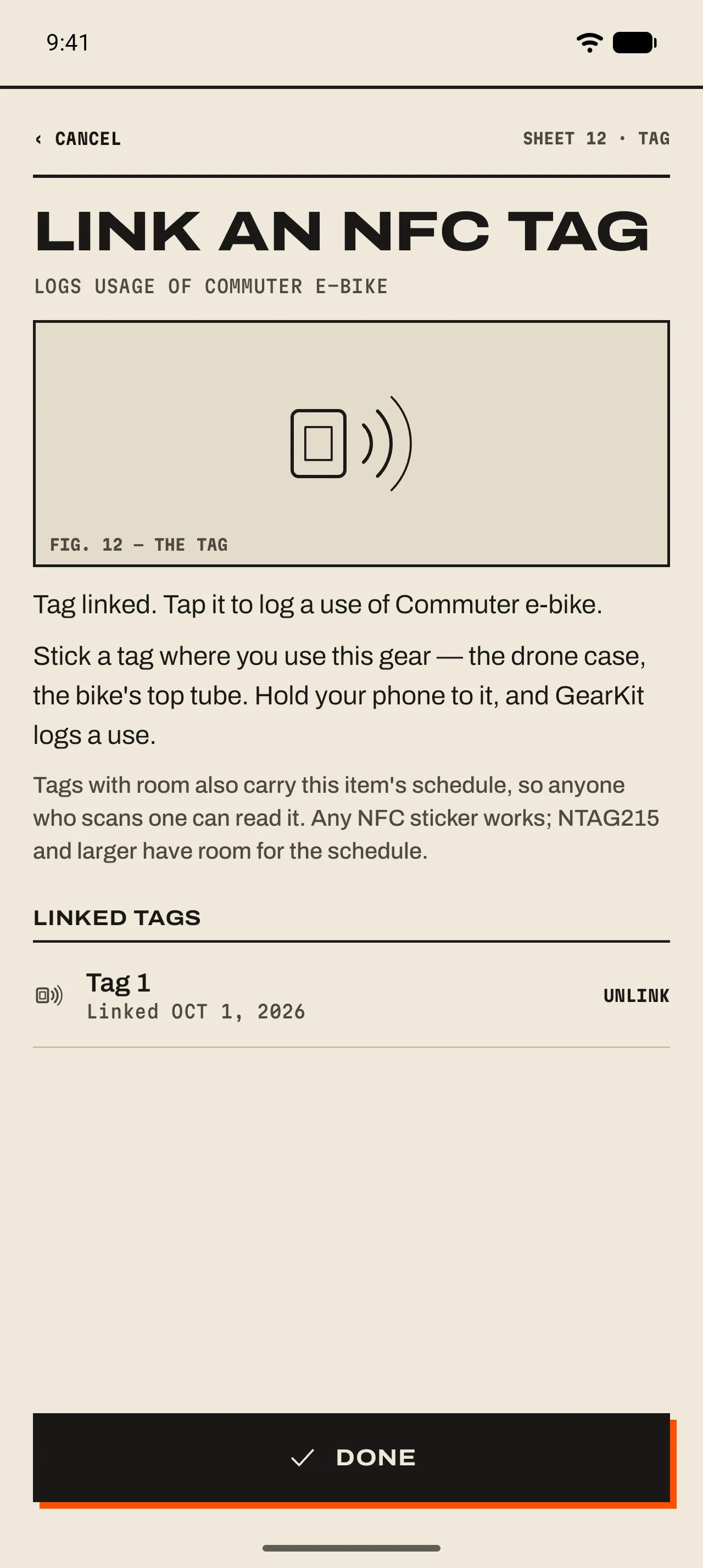
- 1 What it logs
Under the title: Logs usage of an item, or Marks a job done.
- 2 The result
Tag linked. If the sticker was too small for the schedule, it says so: the tag still works on your phone.
- 3 Who can read it
Tags with room also carry the item’s schedule, so anyone who scans one can see it. Never your history.
- 4 Linked tags
Every tag on this item or job. Unlink forgets it on this phone.
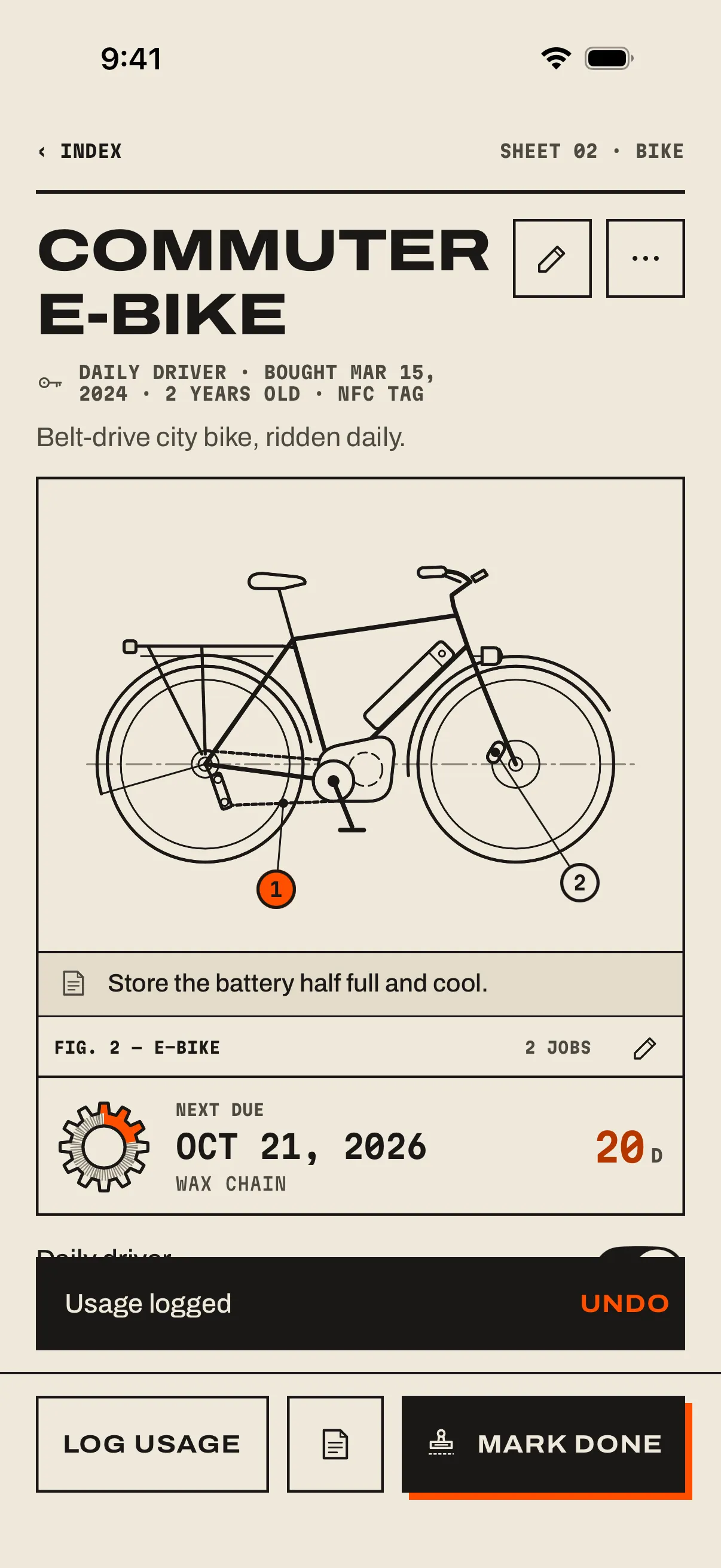
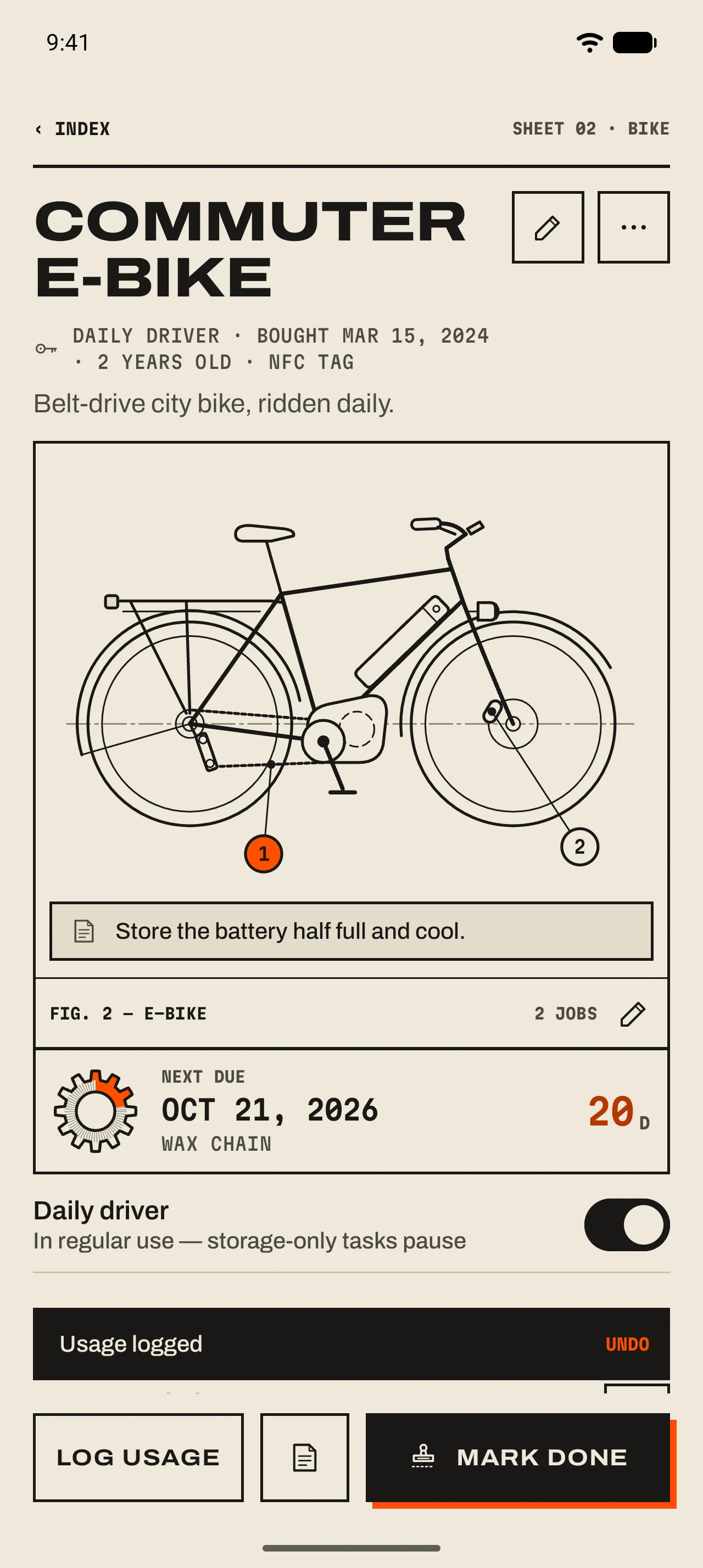
- 1 NFC tag
The item’s spec line counts the tags that log its use.
- 2 The slip
Usage logged, or the job’s new due date. Undo stays for ten seconds.
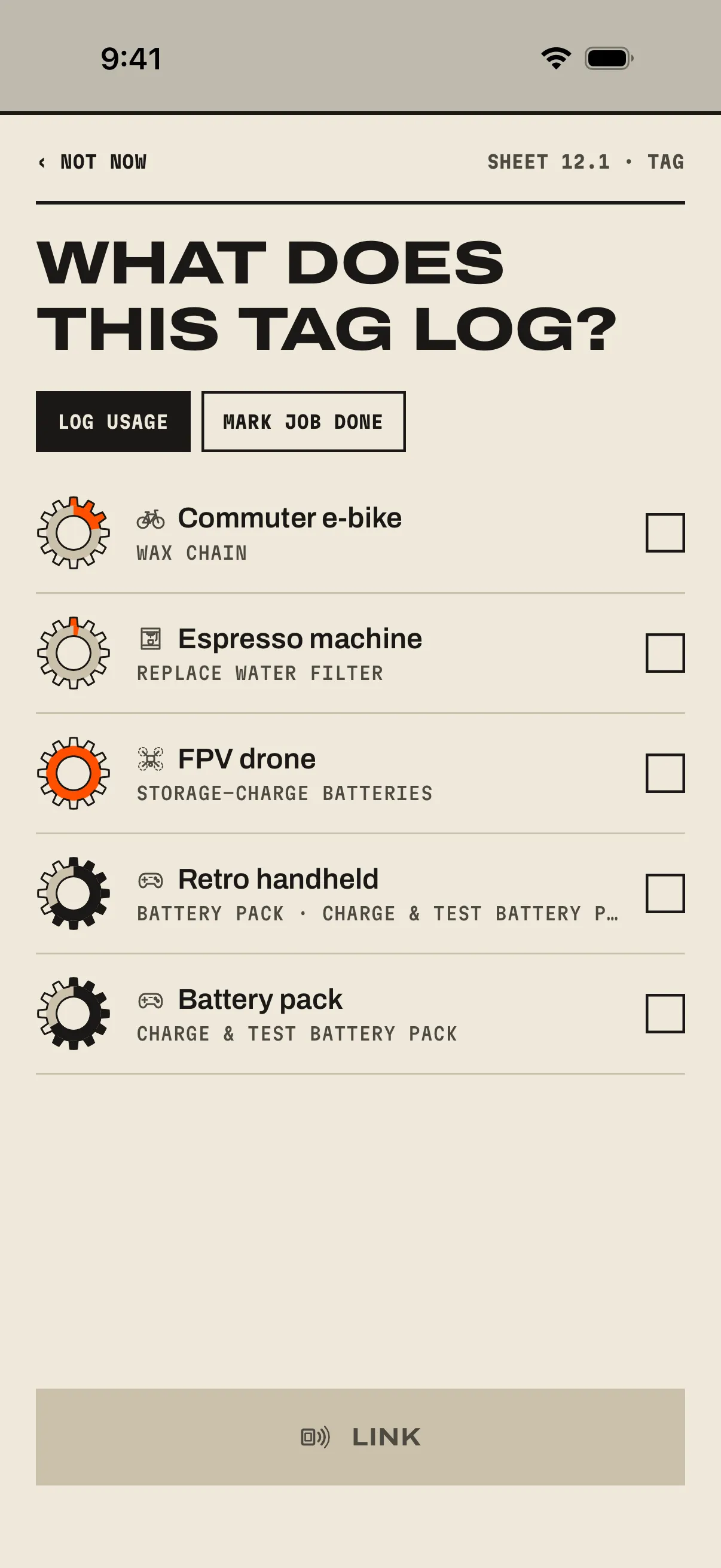
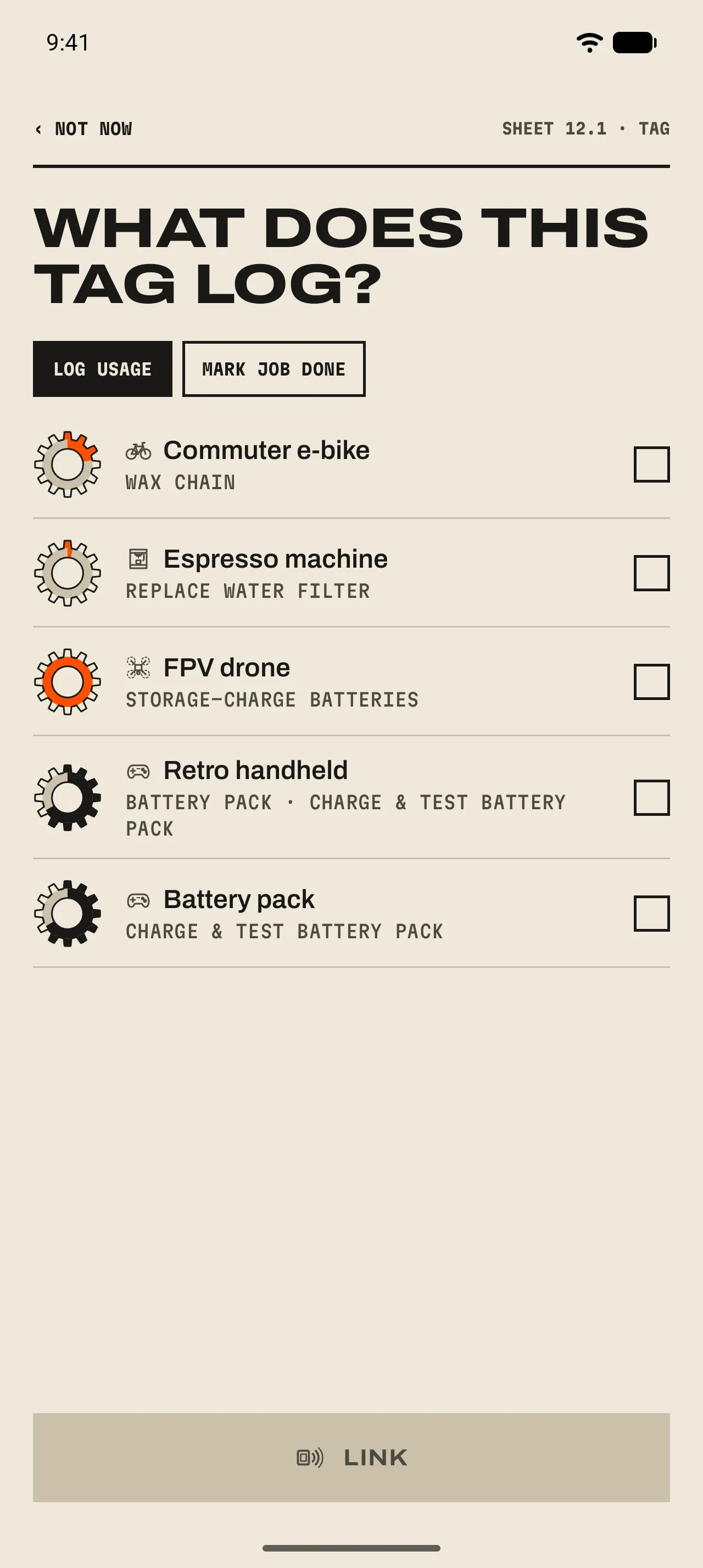
- 1 Log usage or Mark job done
Pick what the tag should do, then the gear or the job.
- 2 Link
Links it and opens the page. That tap logs nothing; the next one does.
What a tap does
iPhoneHold your iPhone near the tag. iOS shows a banner; tap it and GearKit opens on the item’s page and logs it.AndroidHold your phone to the tag with the screen unlocked. GearKit opens on the item’s page and logs it straight away.
- A use
- A tag linked to an item logs a use: Usage logged with Undo. 06 Usage ›
- A job done
- A tag linked to a job stamps it: the gauge winds up and the slip reads Stamped Oct 4. Next due Jan 2. with Undo. 05 Marking a job done ›
- Already done today
- A job done today isn’t stamped twice, whoever did it: the tap says Already done today and logs nothing.
- Already counted just now
- Phones sometimes read a tag twice. A second tap within a minute says Already counted just now, and its Undo takes back the first one.
- Archived gear
- Archived gear logs nothing: This gear is archived. with Unarchive.
Moving and sharing tags
- Move a tag
- Link a tag that’s already linked, from another item or job: it moves, keeps its link and says Tag moved here from where it was.
- A tag that carries the schedule
- On a phone with GearKit that doesn’t know the tag, a tap opens the schedule to add, with the tag linked. Without GearKit, the phone opens the tag’s page on this site, with the item and its jobs.
- A tag that carries only its link
- Small stickers (NTAG213) hold only the link. A phone that doesn’t know it asks What does this tag log?
- Share a schedule
- A shared schedule takes its tags along, so the other phone’s taps log there too. 03 An item’s page ›
- Backups
- Backups carry your tags. Restore one on a new phone and the stickers work again. 12 Backup and calendar ›
- Someone else’s tag
- A sticker that holds something from another app is never overwritten without asking: Overwrite this tag?