Mark a job done
When you’ve done a job, stamp it. The countdown starts again from that day, the reminder goes quiet, and the record keeps the date and your note.
Stamp a job
- 01
On the item’s page, tap Mark done. The most urgent job is already picked; tap another under Which job? if it was a different one.
- 02
Leave Completed on at today, or set the day you actually did it.
- 03
Add a note if it helps next time: the parts, the brand of wax, the torque.
- 04
Tap Save record. The stamp lands, the gauge winds back up, and Done closes the sheet.
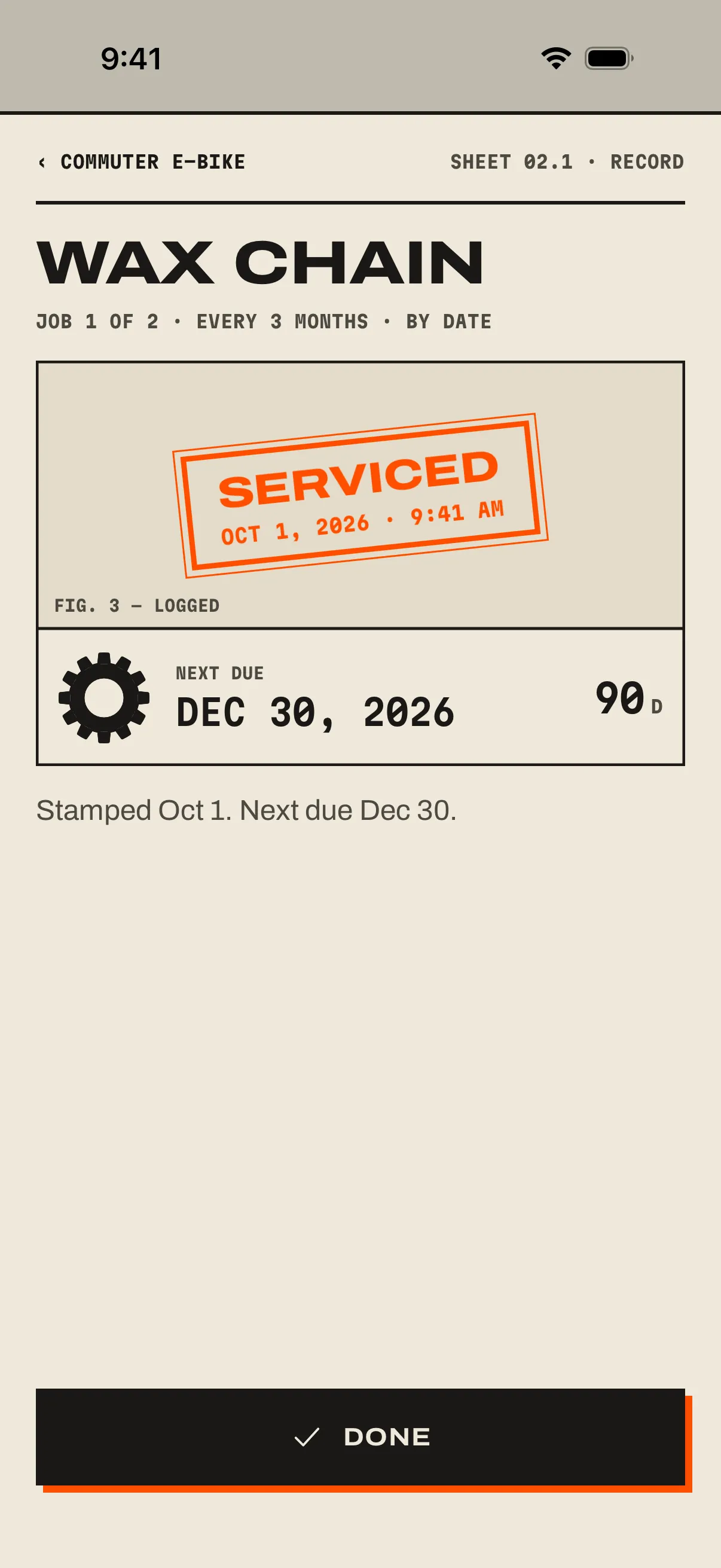
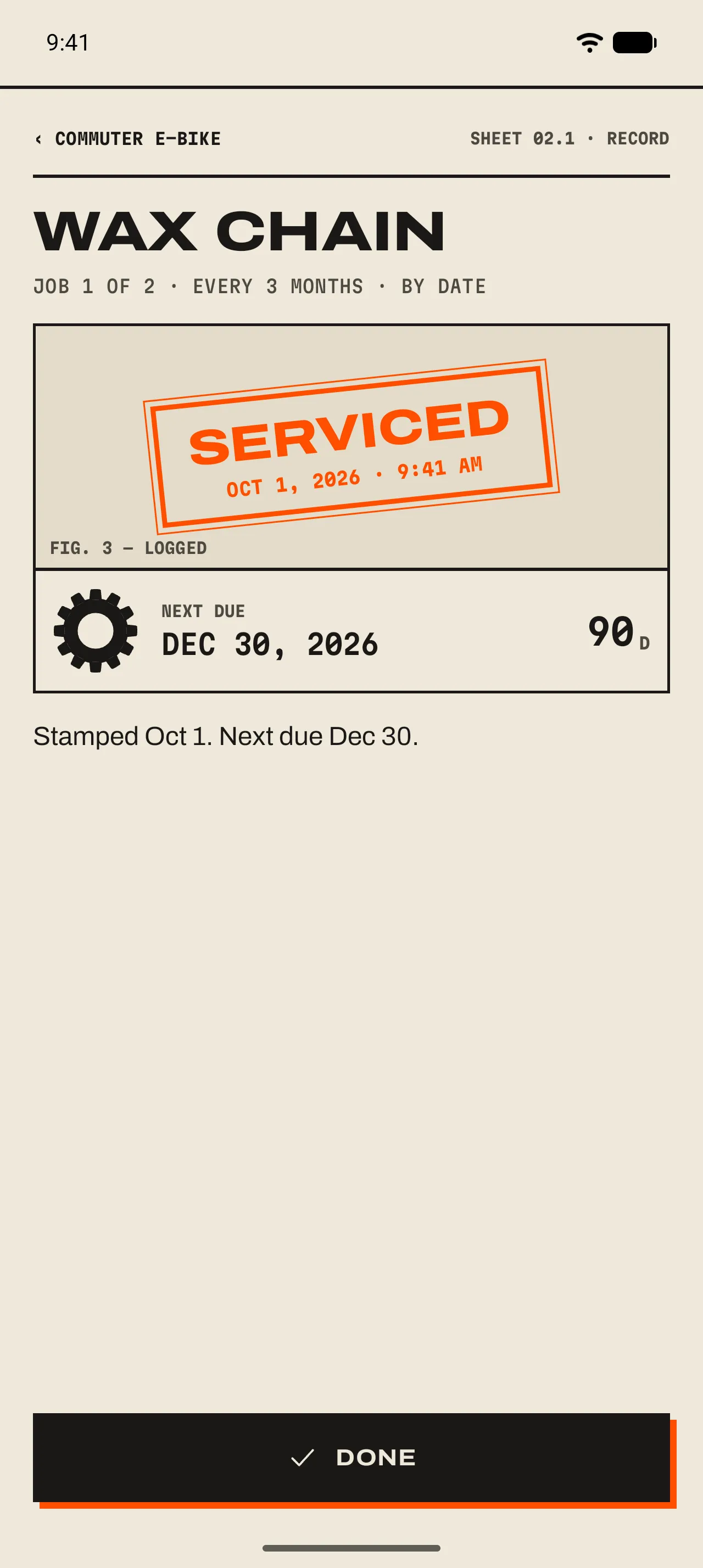
- 1 The job
Its title, which of the item’s jobs it is, how often it comes round and what resets it.
- 2 The stamp
Lands the moment you save, with the date and time.
- 3 Next due
The gauge winds back up and the next date shows, with the days left.
- 4 Done
Closes the record. Before you save, the same sheet asks which job, the date and a note.
Other ways to mark it done
- From Home
- iPhoneSwipe the row to the right and tap Mark done, or swipe all the way. The item’s most urgent job is stamped and the stamp lands over the list.AndroidLong-press the row and pick Mark done. The item’s most urgent job is stamped and the stamp lands over the list.
- From the overdue banner
- An overdue item sits in a spot-orange banner at the top of Home. Its Done button stamps it in one tap.
- From the schedule
- iPhoneOn the item’s page, the done button at the end of a job’s row opens the record on that job. To stamp it today without the record, swipe the row to the right.AndroidOn the item’s page, the done button at the end of a job’s row opens the record on that job. To stamp it today without the record, long-press the row and pick Mark done.
- From the widget
- Tap the done button on the row. It holds its place with Undo for 30 seconds. 09 Widgets ›
- From a reminder
- iPhonePress and hold the notification and tap Mark done. A quiet “Done: Wax chain” confirms it.AndroidTap Mark done on the notification. A quiet “Done: Wax chain” confirms it. 08 Reminders ›
- Without the app
- iPhoneSay “Mark Wax chain done in GearKit”, or add the Mark Job Done control to Control Center.AndroidSet up the Quick Settings tile with the job, then one tap stamps it. 10 Siri, tiles and shortcuts ›