Usage
A use is a ride, a flight, a shoot, a session. Logging it takes one tap; GearKit restarts every job that counts by use and remembers the gear isn’t gathering dust.
Log a use
- 01
On the item’s page, tap Log usage. It’s logged for now; the slip says Usage logged with Undo.
- 02
To log an earlier day or add a note, tap the note button next to it instead. Set Used on, add a note, tap Log.
- 03
iPhoneFrom Home, swipe the item’s row to the right and tap Log usage.AndroidFrom Home, long-press the item’s row and pick Log usage.
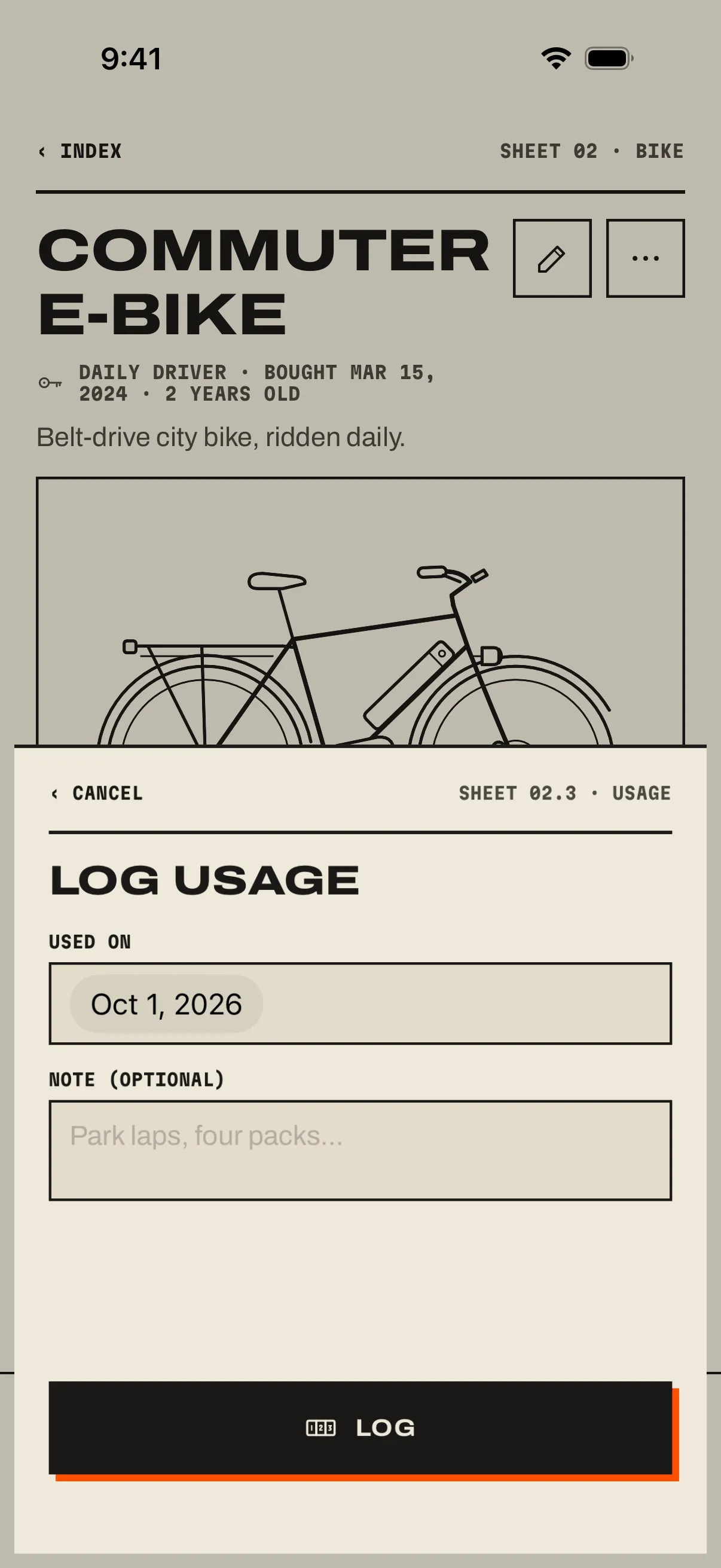
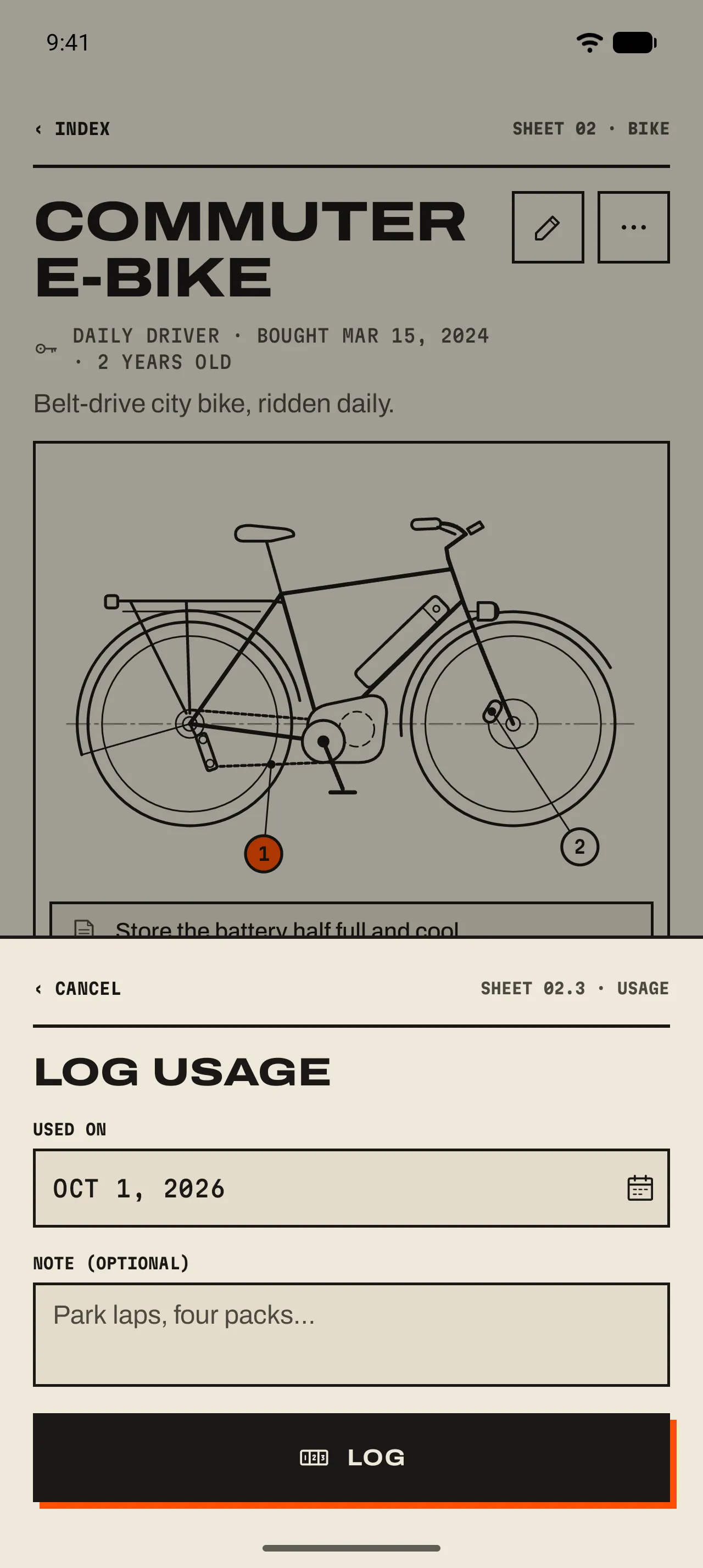
- 1 Used on
Today, or any day before it.
- 2 Note
Optional. “Park laps, four packs”, “Commute week”. It shows under the entry in History.
- 3 Log
Saves it and closes the sheet.
What a use does
- By-use jobs restart
- Every job set to reset On completion or use counts again from this use. 04 Jobs and countdowns ›
- Idle time resets
- Gear that goes six months without a use gets the idle note on its page. A use clears it. 03 An item’s page ›
- Components come along
- A component that Counts parent usage takes the parent’s use as its own: riding the bike uses its battery. 07 Components ›
Without opening the app
- Voice and controls
- iPhoneSay “I used my Commuter e-bike in GearKit”, or add the Log Usage control to Control Center, the Lock Screen or the Action button.AndroidLong-press GearKit’s icon: up to three items you used most in the last 30 days each have a Log usage shortcut. Or set up the Quick Settings tile with the item. 10 Siri, tiles and shortcuts ›
- Automations
- iPhoneA Shortcuts automation can log a ride when a cycling workout ends. Recipes on the Ideas page.AndroidThe Quick Settings tile logs a use in one tap from anywhere.