Jobs and countdowns
A job is anything your gear needs again and again, with how often it needs it. GearKit counts down from the last time you did it, or from the last time you used the gear, and shows the days left.
Add a job
- 01
On the item’s page, tap Add task › under Service schedule.
- 02
Type the job, or tap one of the suggestions for the category: Wax chain, Backflush group head, Storage-charge batteries.
- 03
Check where it sits on the drawing. GearKit guesses from the title; tap a balloon or a chip to pick another, or In the margin.
- 04
Set Every: a number from 1 to 99, then Days, Weeks, Months or Years.
- 05
Choose what resets it: On completion, or On completion or use.
- 06
Tap Save. The countdown starts now.
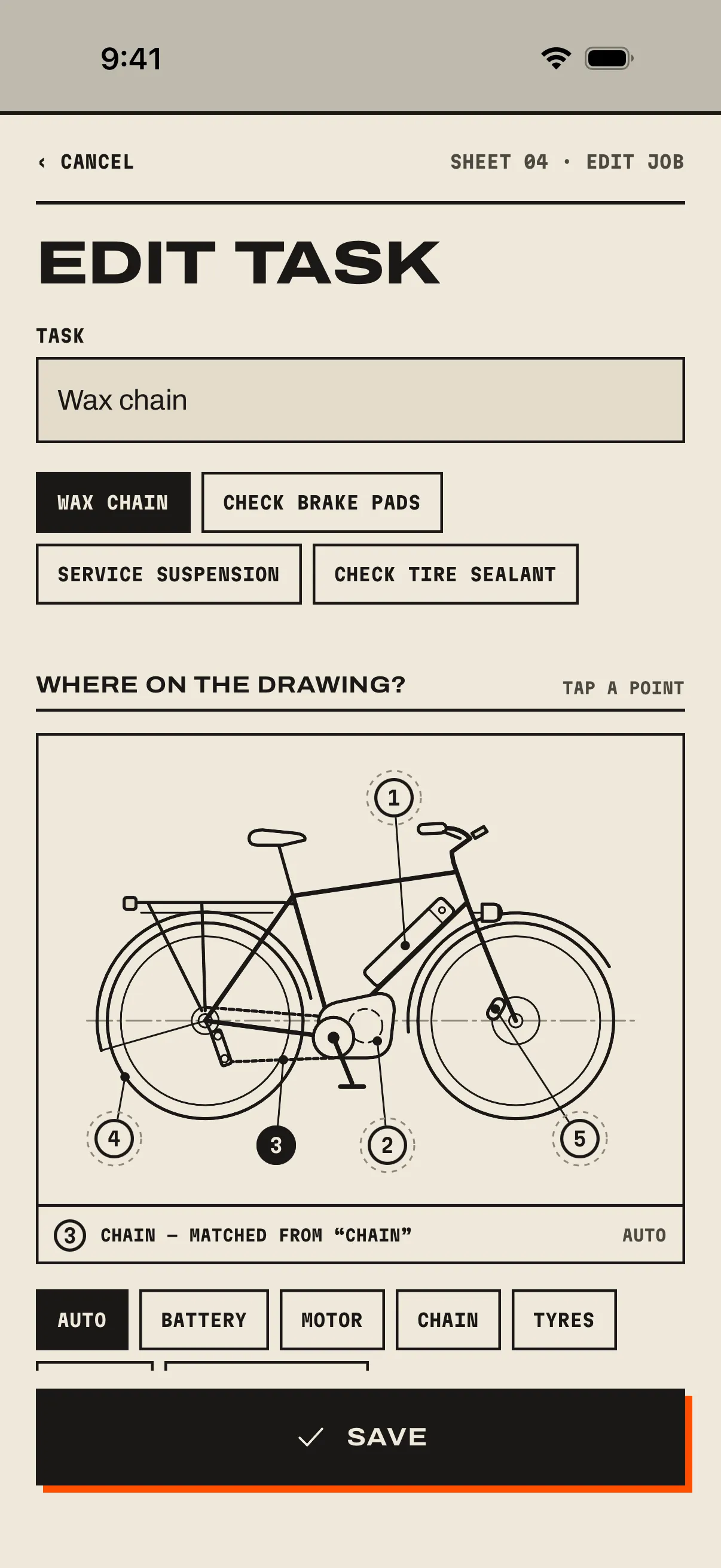
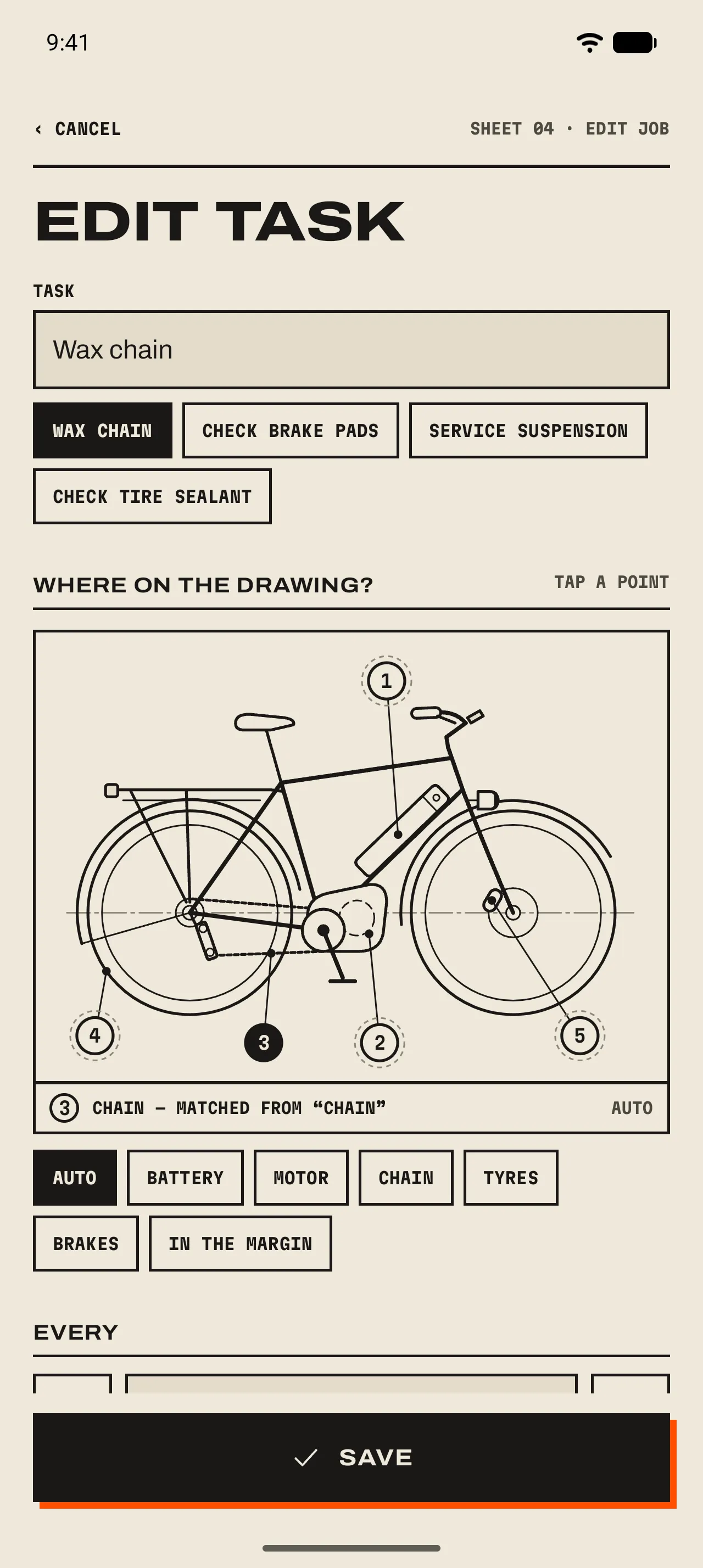
- 1 Task
The job’s name, as you’d say it to Siri or read it on a reminder.
- 2 Suggestions
Common jobs for the item’s category. A tap fills in the name.
- 3 Where on the drawing?
The job’s point, filled in ink. Tap another balloon to move it.
- 4 Matched or picked
“Chain — matched from “chain”” means GearKit guessed from the title (Auto). Tap a chip to pick a point yourself, or In the margin for a job with no place on the drawing.
Further down Edit task
- Every
- 1 to 99 days, weeks, months or years. “Every 2 years” for thermal paste reads the way you’d say it.
- Resets
- On completion: the countdown starts from the last time you did the job. On completion or use: it also starts again whenever you log usage. “Recharge after every flight” is the second kind. 06 Usage ›
- Remind before due
- How many days ahead the reminder comes, from 0 to 60. New jobs start with the default from Settings, 3 days unless you changed it. 08 Reminders ›
- Optional task
- Nice to have. It reminds silently and never makes the item due.
- Only while stored
- Paused while the item is a daily driver: storage-charging a battery, exercising a stored engine.
- Remind when due
- Off keeps the countdown on the page but sends no reminders for this job.
When a job is due
- Days left
- Every job shows its days left, “due today”, or how many days overdue. Paused jobs show Paused · daily driver.
- Due soon
- 30 % or less of the interval left. A 90-day job is due soon with 27 days to go.
- Overdue
- Past the due day. The item gets a banner at the top of Home until you stamp it.