Your kit
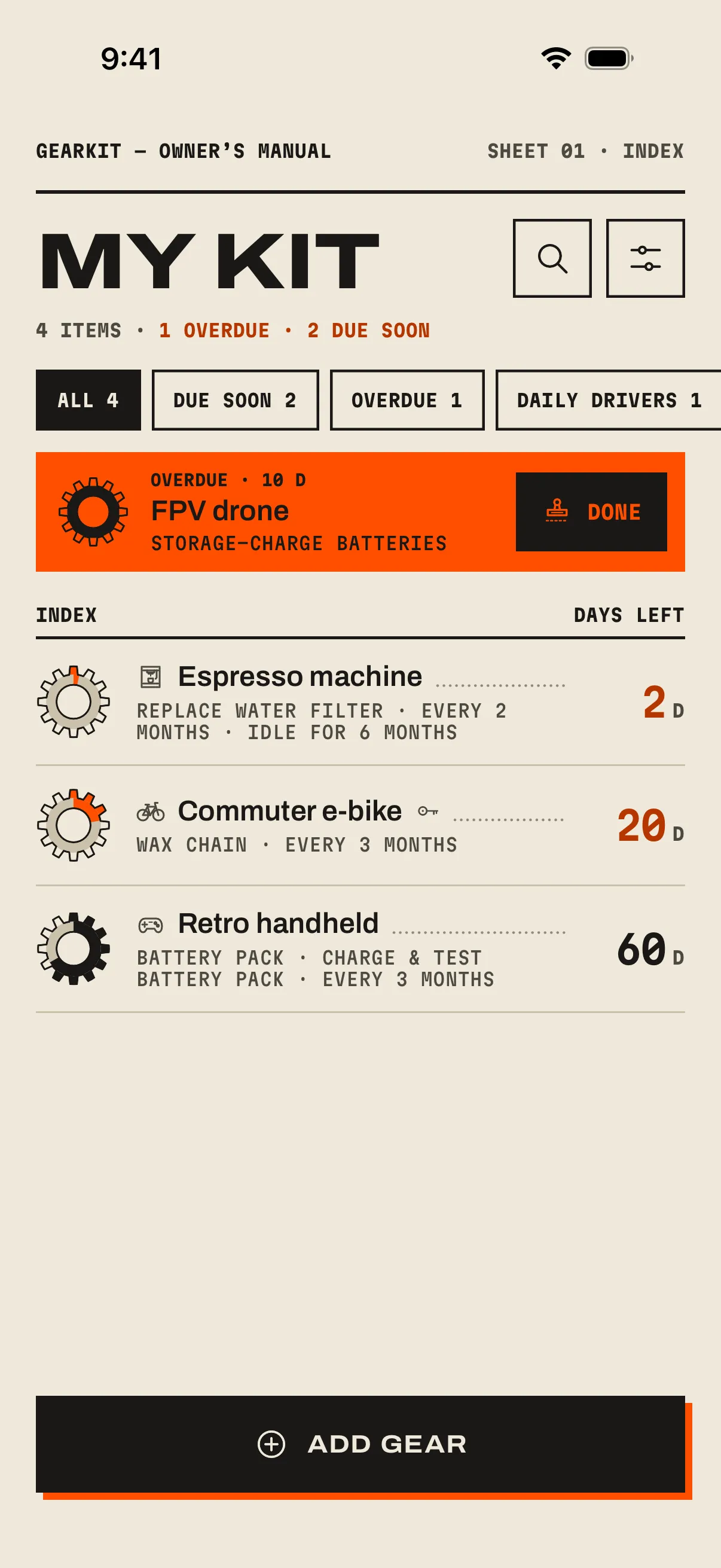
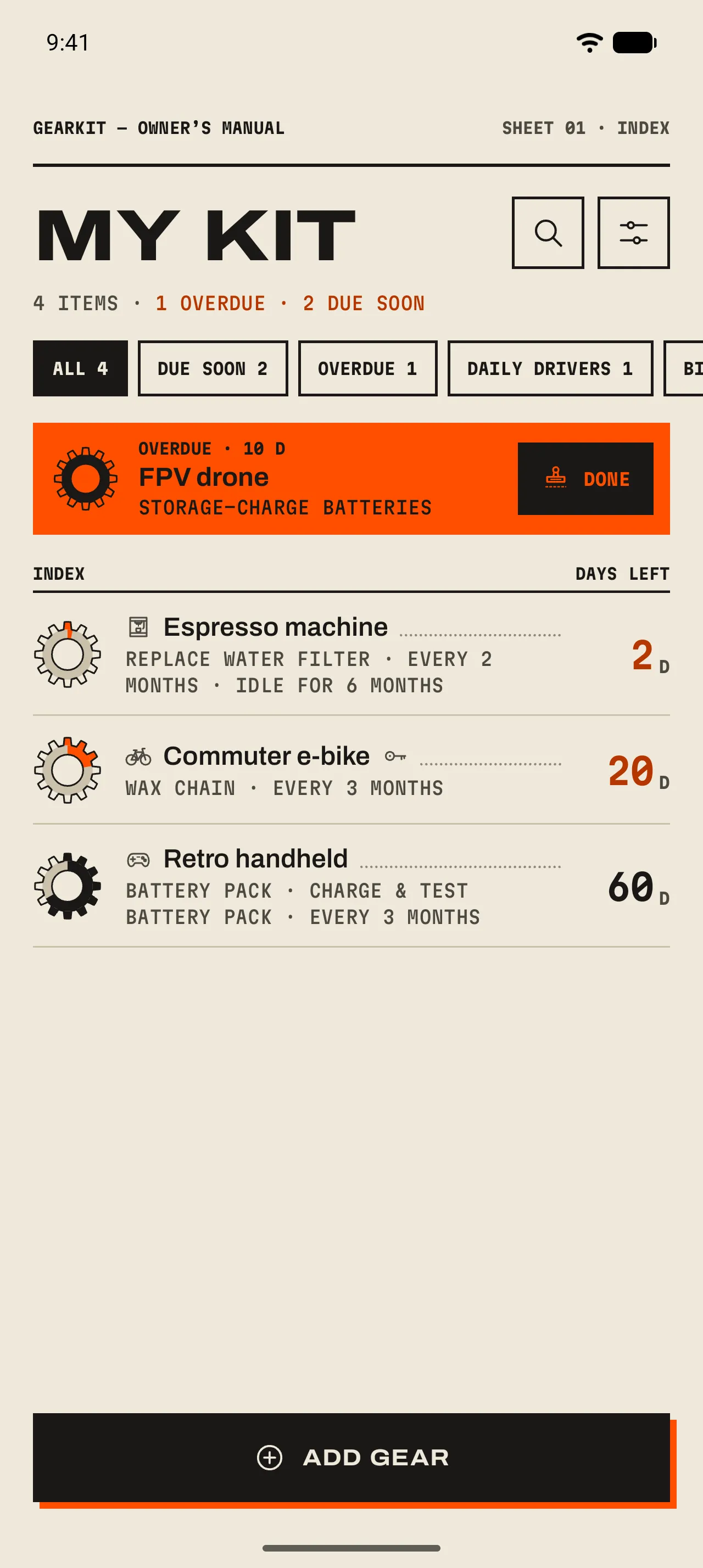
Home is the Index. One row per item, most urgent first, each with a gear-shaped gauge and the days left to its next job. One look tells you what needs doing.
- 1 The count
How many items you have, and how many need you. Overdue and due soon are printed in spot ink, only when there are any.
- 2 Tabs
All, Due soon, Overdue, Daily drivers, then one per category you use, and Archived once something is archived. Each shows its count.
- 3 The overdue banner
Every overdue item gets one, most overdue first: how long it’s been, the job, and a Done button that stamps it.
- 4 An index row
The gauge, the item, its next job and interval, and the days left. A component’s jobs roll up underneath: “Battery pack · Charge & test battery pack”.
- 5 Add gear
Opens a blank page for a new item.
- 1 The same four actions
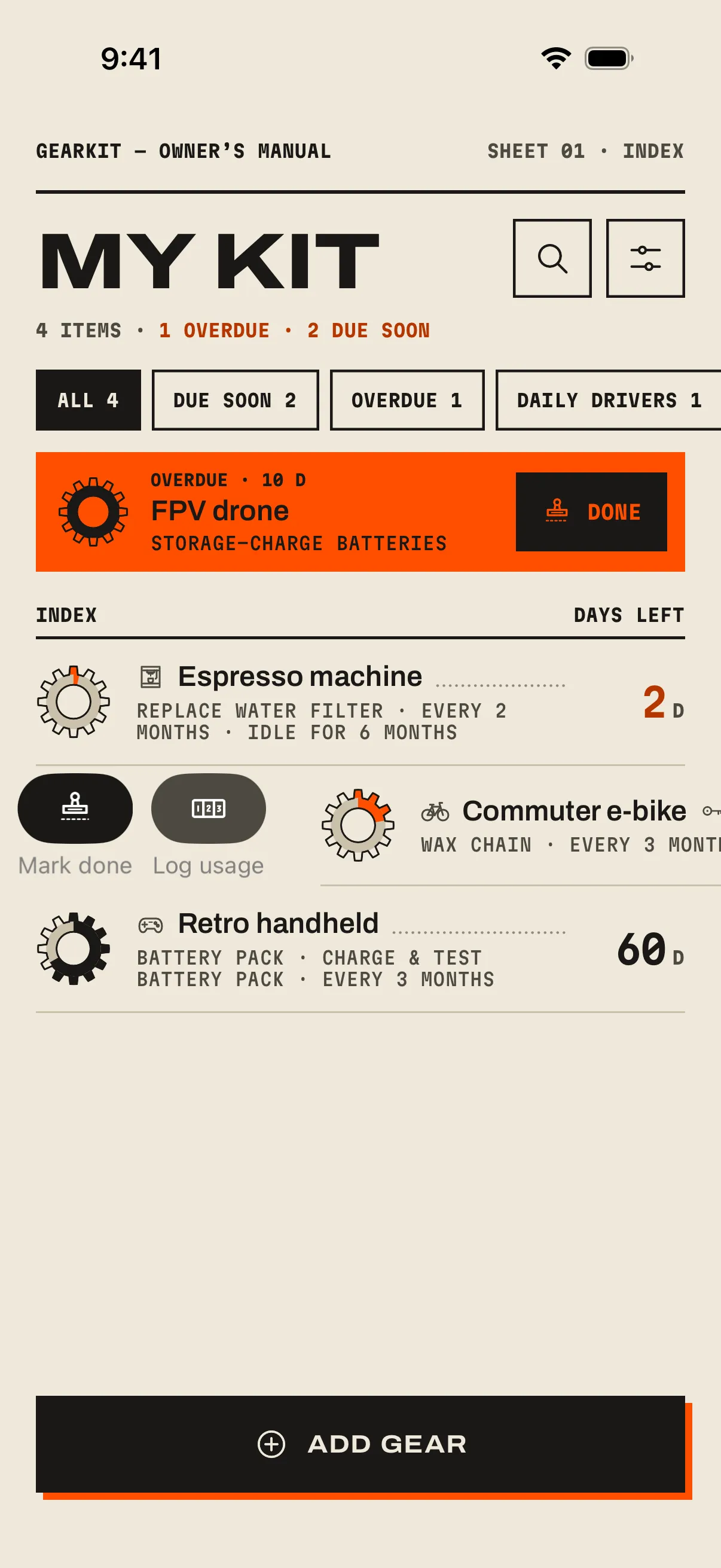
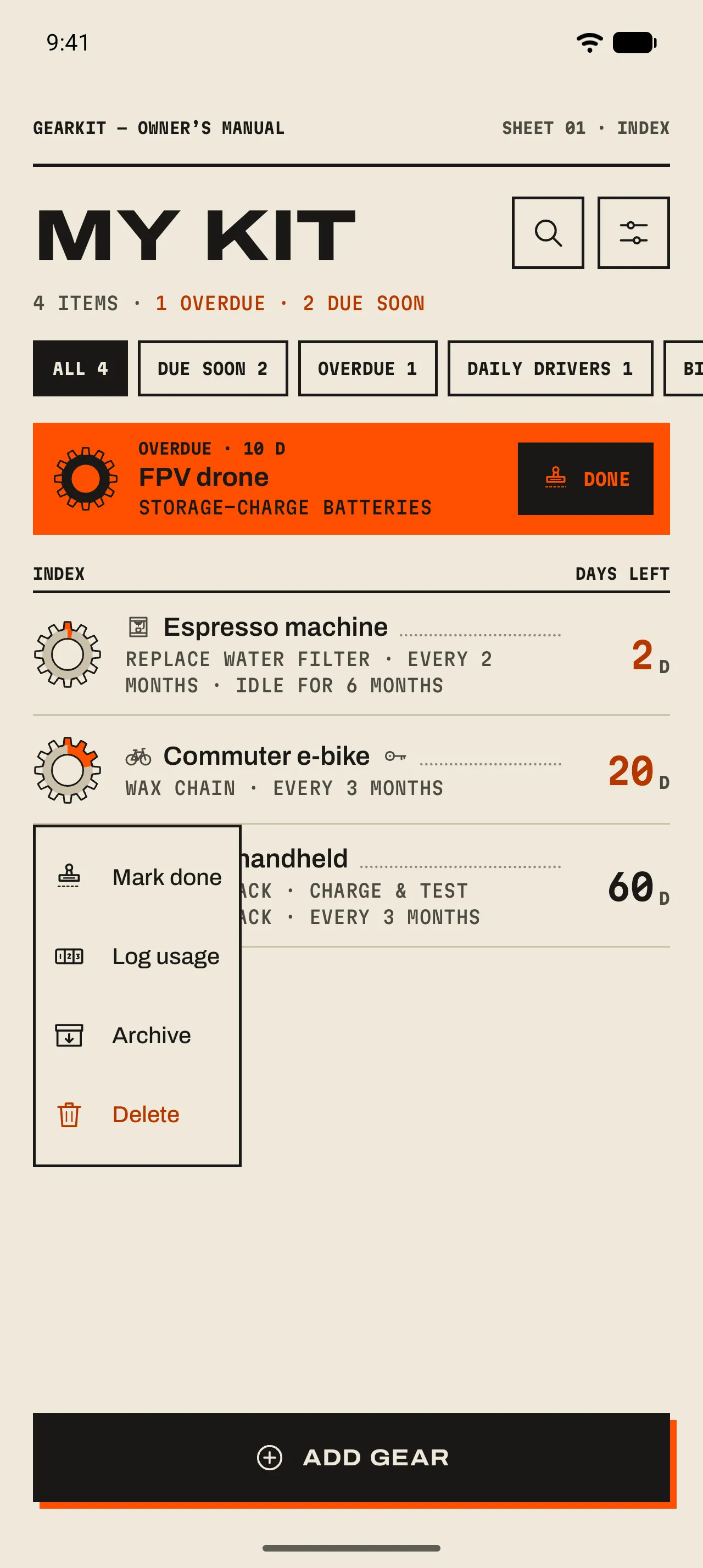
iPhoneSwipe a row to the right for Mark done and Log usage; swipe it all the way to stamp it. Swipe to the left for Archive and Delete.AndroidLong-press a row for Mark done, Log usage, Archive and Delete.
Reading a gauge
The gauge is a gear. Its ring and teeth are the time left until the job is due; they empty as the day comes closer and wind back up when you stamp it.
- Ink
- Plenty of time. More than 30 % of the interval is left.
- Spot orange
- Due soon. 30 % or less is left; the days turn orange too.
- Hatched orange
- Overdue. The ring empties and turns to hatching; the days show how long ago it was due, with the word Overdue under them.
- Hatched grey
- No jobs yet. The gauge waits for one.
Finding things
- Search
- Tap the magnifier and type. Names of items and components match, without minding case or accents. The tab counts stay as they were.
- Daily drivers
- The tab lists the gear you use every day; their storage-only jobs are paused. 04 Jobs and countdowns ›
- Archived
- Sold it, lent it, put it in the loft? Archive keeps its history and takes it off the list. The Archived tab brings it back; Unarchive puts it on the bench again.
- Delete
- Asks first: “Its tasks, components and history go with it.” Archive is the gentler choice.